Table of Contents
Tired of staring at that old dial thermostat, wondering if you’re wasting money every time you crank the heat or blast the AC? You’re not alone. For first-time smart home buyers, the idea of upgrading to a smarter, more efficient way to control your home’s climate can feel both exciting and intimidating, especially when you’re watching your budget. The good news? You no longer need to spend a small fortune to step into the world of automated comfort. Affordable smart thermostats under the $100 mark have evolved dramatically, offering genuine intelligence, significant energy savings, and user-friendly experiences that make dreading your utility bill a thing of the past. It’s the perfect entry point to make your home work smarter for you.
Gone are the days when “budget” meant sacrificing essential features or ending up with a frustrating gadget that collects dust. Today’s sub-$100 smart thermostats deliver core functionalities that genuinely impact your comfort and wallet, often without hidden subscription fees. They learn your routines, adapt to your presence, and put control literally in your pocket – all while being surprisingly simple to install, even if you’ve never touched a screwdriver near your HVAC system. If you’re ready to ditch guesswork for precision and start seeing real results on your next energy statement, understanding what truly matters in this price bracket is your first, crucial step. Let’s cut through the noise and focus on what actually makes a budget smart thermostat a smart buy for beginners.
Top 10 Smart Thermostats under $100
Detailed Product Reviews
1. Amazon Smart Thermostat – Save money and energy - Works with Alexa and Ring - C-wire required

Overview: The Amazon Smart Thermostat offers a straightforward upgrade from traditional models, integrating seamlessly with Alexa and Ring ecosystems to reduce energy consumption. Designed for DIY installation (C-wire required), it leverages smart automation to optimize home comfort and efficiency.
What Makes It Stand Out: Its standout feature is creating “comfort zones” using Echo devices or Amazon’s Air Quality Monitor, adjusting temperatures based on room presence or air conditions. Alexa’s automatic scheduling for home/away/sleep modes eliminates manual programming, while ENERGY STAR certification promises ~$50 annual savings. Post-purchase rebate assistance adds practical value.
Value for Money: Priced competitively against premium smart thermostats, it justifies cost through verifiable energy savings and robust Alexa integration. Rebate support offsets initial investment, though the C-wire requirement may add installation complexity for some users.
Strengths and Weaknesses: Strengths: Intuitive Alexa control, effortless setup for compatible systems, strong energy-saving potential, and rebate guidance. Weaknesses: Mandatory C-wire limits older home compatibility, lacks multi-platform support (Google/Apple), and no built-in room sensors.
Bottom Line: An excellent choice for Alexa-centric households seeking hassle-free energy savings, though C-wire dependency may deter users with legacy HVAC systems. Highly recommended for Amazon ecosystem adopters.
2. Like-New Amazon Smart Thermostat – ENERGY STAR certified, DIY install, Works with Alexa – C-wire required
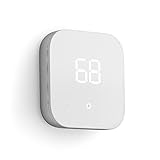
Overview: This refurbished Amazon Smart Thermostat delivers identical functionality to the new model but at a lower price point, having been rigorously tested and certified to perform like new. It retains all core energy-saving and Alexa-integration features with the same warranty.
What Makes It Stand Out: The key differentiator is its “Like-New” status—refurbished to pristine condition with full functionality—making it ideal for budget-conscious buyers. It supports comfort zoning via Echo devices, automatic temperature scheduling, and ENERGY STAR-certified energy savings (~$50/year), all in eco-friendly packaging.
Value for Money: Offers exceptional value by cutting upfront costs by 15–25% versus new units while maintaining identical performance and warranty coverage. Rebate eligibility remains unchanged, accelerating ROI. The only trade-off is generic Amazon-branded packaging.
Strengths and Weaknesses: Strengths: Significant cost savings, same reliability as new, full Alexa integration, and eco-friendly refurbishment process. Weaknesses: Packaging lacks retail flair, C-wire requirement persists, and no support for non-Alexa platforms.
Bottom Line: A near-perfect alternative to the new model for pragmatic buyers prioritizing sustainability and affordability without sacrificing performance. Highly recommended for cost-aware smart-home enthusiasts.
3. ecobee Smart Thermostat Essential - Energy Star Certified programmable Wi-Fi Thermostat - Works with Siri, Alexa, and Google Assistant

Overview: The ecobee Smart Thermostat Essential supports universal voice assistant compatibility (Alexa, Siri, Google) and targets broad HVAC system adoption with an 85% compatibility rate. It features a color touchscreen, remote app control, and ENERGY STAR-certified efficiency.
What Makes It Stand Out: Its standout trait is multi-platform flexibility—unlike Amazon-exclusive models—and a compatibility checker for effortless setup. While C-wire isn’t universally required (via optional PEK add-on), it excels in energy tracking via the app, with software updates ensuring long-term relevance.
Value for Money: Competitively priced, though the PEK add-on for C-wire-less homes adds ~$30. Savings potential (up to 23% annually) and cross-platform support justify the cost, especially for non-Alexa households. Free updates enhance longevity.
Strengths and Weaknesses: Strengths: Universal voice assistant support, intuitive app/energy reports, no mandatory C-wire (with PEK), and robust compatibility. Weaknesses: PEK sold separately inflates cost, touchscreen less responsive than premium models, and no built-in room sensors.
Bottom Line: The top pick for multi-ecosystem homes seeking flexibility and strong energy analytics. Recommended despite PEK caveat—verify compatibility first.
4. Sensi Smart Thermostat, 100 Years Of Expertise, Wi-Fi, Data Privacy, Programmable, Easy DIY Install, Works With Alexa, Energy Star Certified, Mobile App, ST55
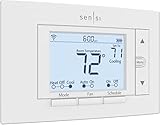
Overview: Sensi prioritizes user privacy and simplicity, leveraging Emerson’s HVAC expertise for a no-fuss smart thermostat. It features ENERGY STAR savings, Alexa compatibility, and C-wire-free installation for most systems, with a traditional design preserving wall aesthetics.
What Makes It Stand Out: Privacy protection is paramount—Sensi vows never to sell user data. Its standout simplicity includes app-guided DIY setup, maintenance alerts (e.g., filter reminders), and compatibility with legacy thermostats’ wall cutouts, avoiding renovation needs.
Value for Money: Mid-priced with strong ROI: ~23% HVAC savings, zero data monetization, and no C-wire dependency for most setups. The app’s usage reports justify the cost, though it lacks advanced comfort zoning.
Strengths and Weaknesses: Strengths: Unmatched privacy focus, plug-and-play installation, maintenance tracking, and traditional form factor. Weaknesses: Limited smart features (no multi-room zoning), basic app interface, and Alexa-only voice control.
Bottom Line: Ideal for privacy-focused users wanting hassle-free installation and reliable basics. Recommended for simplicity seekers, though tech enthusiasts may find it underpowered.
5. meross Smart Thermostat for Home, WiFi Thermostat Works with Matter, Alexa, Apple Home, Google Assistant, App & Voice Control, 7x24h Scheduling, Energy Saving, C-Wire Required

Overview: The meross Smart Thermostat emphasizes Matter protocol compatibility for seamless cross-platform control (Apple Home, Alexa, Google), targeting tech-savvy users with 95% HVAC system support—though C-wire requirements apply in some cases.
What Makes It Stand Out: Matter integration is its crown jewel, enabling local processing without cloud reliance and reducing app overload. Custom 7-day scheduling, real-time energy tracking, and proactive alerts (e.g., filter life) enhance usability, while the robust app enables remote control.
Value for Money: Budget-friendly for its Matter support, though compatibility checks are essential. Energy savings (~23%) and long-term reliability offset costs, but C-wire constraints may necessitate professional help.
Strengths and Weaknesses: Strengths: Future-proof Matter compatibility, granular scheduling, comprehensive alerts, and broad voice assistant support. Weaknesses: C-wire required for some systems, incompatible with baseboard heaters, and complex setup for non-tech users.
Bottom Line: A forward-thinking choice for Matter adopters prioritizing cross-platform harmony. Recommended only after confirming HVAC compatibility—avoid for baseboard systems.
6. Google Nest Thermostat - Smart Thermostat for Home - Programmable Wifi Thermostat - Snow

Overview:
The ENERGY STAR-certified Google Nest Thermostat (Snow) automates home comfort while prioritizing energy efficiency. Designed for most standard HVAC systems, it leverages Wi-Fi connectivity and motion sensing to adapt to your routines without requiring a C-wire in many installations.
What Makes It Stand Out:
Nest’s intuitive learning algorithm adjusts temperatures based on occupancy (via Auto-Away), eliminating wasted energy in empty homes. The Google Home app enables seamless remote control, scheduling, and personalized savings suggestions through “Savings Finder.” Its sleek design and compatibility with major voice assistants add convenience.
Value for Money:
Priced competitively against smart thermostats, it justifies cost through long-term energy savings (verified by ENERGY STAR) and potential utility rebates. While lacking a physical lock feature, its no-C-wire flexibility reduces installation complexity and cost for most users.
Strengths and Weaknesses:
Strengths: Effortless setup for compatible systems; robust app ecosystem; effective Auto-Away; strong energy-saving potential.
Weaknesses: Requires C-wire for heat pumps/zone systems; no physical lock; limited advanced HVAC diagnostics compared to premium models.
Bottom Line:
An excellent entry into smart thermostats for energy-conscious homeowners seeking simplicity and reliable savings. Verify compatibility first, but it delivers exceptional value for standard systems.
7. New! Honeywell Home Smart Thermostat, Conventional/Heat Pump Compatibility, WiFi Thermostat for Home, X2S, Gray

Overview:
The Honeywell Home X2S is an ENERGY STAR-certified Wi-Fi thermostat supporting conventional and heat pump systems. It emphasizes customization and integration with smart home ecosystems like Apple HomeKit and Matter, though a C-wire is typically required.
What Makes It Stand Out:
Matter certification ensures future-proof compatibility across platforms (Alexa, Google, Apple). Flexible scheduling (5-1-1, 7-day, etc.), humidity monitoring, and demand-response capabilities for utility programs differentiate it. The app-driven interface simplifies personalized comfort management.
Value for Money:
Competitively priced, it offers robust features like geofencing (“Auto-Away”), filter reminders, and low-heat setpoints. The 2-year warranty is standard, but C-wire dependency may add installation costs for some users, slightly offsetting value.
Strengths and Weaknesses:
Strengths: Broad smart home integration; highly customizable scheduling; humidity tracking; energy program support.
Weaknesses: Mandatory C-wire for most installations; less intuitive learning algorithms than Nest; basic display aesthetics.
Bottom Line:
Ideal for tech-savvy users with C-wire setups seeking deep smart home integration and scheduling flexibility. Prioritize compatibility checks to avoid added costs.
8. Google Nest Thermostat - Smart Thermostat for Home - Programmable Wifi Thermostat - Charcoal

Overview:
This Charcoal-hued Nest Thermostat shares core functionality with the Snow model, offering ENERGY STAR-certified energy savings via Wi-Fi and Bluetooth LE. It targets users preferring a modern, darker aesthetic while maintaining hands-free comfort control.
What Makes It Stand Out:
Identical to the Snow model in performance, its matte charcoal finish blends discreetly into diverse interiors. Auto-Away and app-based scheduling work identically, with remote access via Google Home app. The no-C-wire design (for most systems) remains a key advantage over competitors.
Value for Money:
Priced identically to the Snow variant, it offers no functional upgrade—purely aesthetic. Still a strong investment for energy savings, but the color choice alone doesn’t enhance value. Rebates and long-term efficiency justify the cost for compatible setups.
Strengths and Weaknesses:
Strengths: Same reliable Nest algorithms; versatile color option; easy DIY installation; no C-wire needed in most homes.
Weaknesses: No feature differentiation from Snow model; C-wire required for heat pumps; lacks advanced HVAC diagnostics.
Bottom Line:
Choose this solely for the charcoal finish if it suits your decor. Functionally identical to the Snow model, it’s a worthwhile purchase for standard systems seeking proven efficiency.
9. Google Nest Thermostat - Smart Thermostat for Home - Programmable Wifi Thermostat - Snow (Renewed)

Overview:
This renewed Snow model is a refurbished Google Nest Thermostat, offering identical ENERGY STAR-certified performance at a lower price. It targets budget-conscious buyers seeking reliable smart climate control with verified pre-owned quality.
What Makes It Stand Out:
Includes all core features: Auto-Away, app scheduling, and voice control via Google/Alexa. The “Nest Renew” feature (prioritizing clean energy usage) may vary by model version. Renewed units undergo rigorous testing, often with 1-year warranties.
Value for Money:
Significantly cheaper than new, making it the most cost-effective Nest option. Savings potential remains high, but verify if the specific unit supports the Google Home vs. Nest app. Rebates still apply, though warranty may be shorter than new models.
Strengths and Weaknesses:
Strengths: Substantial price discount; same energy-saving tech; no C-wire needed (mostly); eco-friendly refurbishment.
Weaknesses: Potential app compatibility confusion; shorter warranty; may exclude newer features like Nest Renew.
Bottom Line:
A smart buy for value seekers with compatible systems. Ensure compatibility and accept minor trade-offs for significant savings without compromising core functionality.
10. Sensi Lite Smart Thermostat, Programmable, WiFi, Easy DIY, Works With Alexa, ENERGY STAR Certified, ST25, Most Systems C-Wire Not Required, C-Wire needed with Heat/Cool Only & Heat Pump System – Black
Overview:
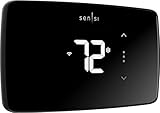
The Sensi Lite ST25 is an ENERGY STAR-certified thermostat emphasizing privacy and DIY simplicity. It supports most HVAC systems without a C-wire (except heat pumps) and integrates with Alexa for voice control.
What Makes It Stand Out:
Top-rated mobile app with clear usage reports and geofencing. Its standout privacy policy guarantees no data selling or ad targeting. The built-in level and step-by-step guides simplify installation, appealing to beginners.
Value for Money:
Aggressively priced, it delivers robust features (23% estimated energy savings*) at budget-friendly rates. Privacy focus adds intangible value, though heat pump systems require a C-wire, potentially adding cost.
Strengths and Weaknesses:
Strengths: Exceptional privacy commitments; intuitive app; easy installation; strong energy savings; Alexa compatible.
Weaknesses: C-wire needed for heat/cool-only systems; lacks Matter/HomeKit support; fewer smart home integrations than rivals.
Bottom Line:
Perfect for privacy-focused users wanting straightforward, affordable smart control. Ideal for standard systems but verify C-wire needs—excellent value where compatible.
Understanding Your Needs and Compatibility
Before getting dazzled by features, laying the groundwork ensures your new thermostat won’t just sit in the box. Compatibility is non-negotiable and the most common pitfall for first-time installers. Skipping this step leads to frustration and potential returns.
Checking Your HVAC System Type
Not all heating and cooling systems are created equal. Your new thermostat must physically connect to and communicate with your furnace, air conditioner, heat pump, or boiler. Key questions: Do you have forced air, baseboard heating, or a heat pump? Does your system use standard low-voltage wiring (common in most homes built in the last few decades), or is it a line-voltage system (often for electric baseboards)? Most budget smart thermostats support common low-voltage systems (24V), but heat pumps and multi-stage systems require specific compatibility checks. Consult your existing thermostat’s wiring or your HVAC unit’s manual – the labels on the wires (R, C, Y, G, W) are your roadmap.
Verifying Power Requirements
A steady power source is critical for a smart thermostat’s brain and Wi-Fi connection. Many older systems lack a dedicated “C-wire” (common wire), which provides constant 24V power. While some modern budget models offer clever workarounds like power-stealing technology or optional power adapters, these aren’t foolproof for every system. If your current thermostat doesn’t have a C-wire connected (it might be tucked away in the wall), confirm the specific model you’re considering explicitly supports C-wire-less operation for your exact HVAC setup. Don’t assume; check the manufacturer’s compatibility tool using your system details.
Assessing Your Home’s Wi-Fi Environment
Your smart thermostat is only as smart as your home network. It needs a reliable 2.4 GHz Wi-Fi signal (most budget models don’t support 5 GHz) near your HVAC system, which is often tucked away in a basement, garage, or utility closet – notorious dead zones. Weak signal strength means unreliable remote control, failed software updates, and geofencing that doesn’t work. Test your Wi-Fi strength in the thermostat location before buying. If the signal is poor, budgeting for a simple Wi-Fi extender might be necessary for a smooth experience, even if the thermostat itself is under $100.
Essential Features for First-Time Buyers
When shopping on a budget, prioritizing features that deliver tangible value and ease of use is key. Avoid paying for bells and whistles you won’t utilize. Focus on the core functionalities that make the upgrade worthwhile from day one.
Core Scheduling and Learning Capabilities
The fundamental promise of a smart thermostat is automating temperature changes based on your life. Look for intuitive scheduling – the ability to easily set different temperatures for wake-up, leave-home, return-home, and sleep times, tailored for weekdays vs. weekends. True “learning” features (where the thermostat observes your manual adjustments and builds a schedule) are increasingly common even at this price point. While not as sophisticated as premium models, even basic adaptive scheduling significantly reduces the need for constant manual tweaks, putting effortless energy savings on autopilot.
Reliable Remote Control and Geofencing
Being able to adjust your home’s temperature from your phone, whether you’re stuck in traffic or remembered you left the heat blasting, is a game-changer. Ensure the companion app is well-reviewed for stability and ease of use. Geofencing, which uses your smartphone’s location to automatically adjust settings when you leave or approach home, is a highly valuable feature often included. However, verify its reliability in user reviews – poor geofencing implementation can lead to erratic behavior and negate potential savings. This feature alone can prevent significant energy waste from heating or cooling an empty house.
Energy Usage Reporting and Savings Insights
The ultimate goal is lower bills, so clear feedback is crucial. A good budget thermostat provides straightforward energy reports – showing daily, weekly, or monthly usage compared to previous periods. Look for features like “Energy History” that display runtime for heating and cooling, helping you understand your consumption patterns. Some offer actionable tips or “savings reports” highlighting how much energy you saved by maintaining a schedule or adjusting temperatures. This transparency turns abstract savings into concrete motivation and helps you fine-tune your habits.
Navigating Installation Realities
The thought of installation often deters beginners, but it’s frequently simpler than anticipated, especially with modern budget models designed for DIYers. Understanding the process builds confidence and prevents mid-installation panic.
Evaluating DIY-Friendliness Before Buying
Don’t wait until you have the box in hand. Research the installation process before purchasing. Reputable brands provide detailed, step-by-step video guides and written instructions specific to their model. Pay attention to user reviews mentioning installation – phrases like “took 20 minutes” or “wiring was confusing” are telling. Key indicators of DIY-friendliness: clear labeling on the thermostat terminals matching your existing wires, a well-designed mounting plate, and comprehensive, beginner-oriented instructions. If the process seems overly complex based on your research, it’s a red flag.
The Critical Role of the C-Wire (and Workarounds)
As mentioned in compatibility, the C-wire dilemma is real. If your system lacks one, don’t despair, but understand the trade-offs. Power-stealing (or adaptive) models work by briefly drawing power from other wires when the system isn’t running. This usually works but can cause issues with older HVAC systems (like intermittent blower operation) or systems requiring constant power (e.g., some humidifiers). An optional power extender kit (sometimes included, sometimes extra) is a more reliable solution, creating a C-wire connection. Factor in the potential need for this kit – its cost and installation complexity – when comparing total “out-the-door” price and effort.
Safety First: Powering Down is Non-Negotiable
This cannot be stressed enough: ALWAYS turn off the power to your HVAC system at the circuit breaker before starting installation. This is not optional. Working on live HVAC wiring is extremely dangerous and can damage your new thermostat, your HVAC control board, or cause injury. Double-check that the power is off using a multimeter if you’re unsure. Taking 30 seconds to flip the breaker prevents hours of damage control or worse. Never skip this step to save a few minutes.
App Experience and Ecosystem Integration
Your smartphone is the primary interface for your smart thermostat, so the app experience is paramount. At the budget level, seamless integration with broader smart home platforms is a bonus, but core app functionality is essential.
App Usability and Stability
Download the companion app before buying if possible (many are free). Test its navigation, responsiveness, and clarity. Can you easily adjust the temperature, view the schedule, and access reports? Is the interface intuitive, or does it feel cluttered and confusing? Check recent app store reviews specifically for stability complaints (“crashes,” “won’t connect,” “laggy”). A beautiful thermostat is useless if the app is frustrating or unreliable. Prioritize models with consistently positive feedback on app performance – it’s the heart of your daily interaction.
Voice Control Compatibility
Hands-free control via voice assistants is a highly convenient feature that adds significant value. Ensure the thermostat explicitly supports the voice platform you use daily: Amazon Alexa, Google Assistant, or Apple HomeKit/Siri (note: HomeKit often requires specific hardware and may be less common at this price point). Verify whether setup requires a separate hub (like a HomePod for Apple) or works directly with your existing Echo or Google Nest speaker. This integration should be straightforward and work reliably for basic commands like “Set living room to 72 degrees.”
Smart Home Platform Integration (Beyond Voice)
While full-blown automation (like “If I leave home, turn off AC and lock doors”) might be less critical for a first-time buyer, basic compatibility with your chosen smart home ecosystem (like Apple Home, Google Home, or Amazon Alexa routines) enhances flexibility. Does the thermostat appear reliably as a controllable device within the main platform app? Can you include it in simple routines (e.g., “Good Morning” routine turns on lights and adjusts thermostat)? Deep integrations are rare under $100, but reliable presence in the main platform is a valuable quality-of-life feature worth checking.
Maximizing Long-Term Value and Avoiding Pitfalls
A smart thermostat is an investment in comfort and efficiency. Making the right choice ensures it pays for itself and avoids hidden headaches down the line, especially on a tight budget.
Understanding True Energy Savings Potential
Manufacturers often tout dramatic savings (20%+), but realistic expectations are key. Actual savings depend heavily on your climate, home insulation, current habits, and how actively you use the thermostat’s features. For a typical household replacing an old manual thermostat and adopting basic scheduling, 10-15% savings on heating and cooling costs is a more common and achievable target. The biggest gains come from not heating/cooling an empty house and avoiding extreme manual overrides. Look for thermostats that provide clear, personalized feedback on your actual savings to track progress.
Subscription Fees: What’s Included and What’s Not
One major advantage of budget smart thermostats is that core features usually require no ongoing subscription. Basic scheduling, remote control via the app, and fundamental energy reports should be included forever. Be wary of models that lock essential features (like detailed energy history, advanced scheduling, or even remote access) behind a monthly or annual paywall – this erodes the value proposition quickly. Read the fine print: what you get out of the box at $100 should remain fully functional without future fees. Premium support or very advanced analytics might be subscription-based, but these aren’t necessary for first-time buyers.
Future-Proofing Considerations
While you’re buying for today, consider how long this thermostat might last. Does the manufacturer have a track record of providing long-term software updates? Frequent updates fix bugs, improve security, and sometimes add minor features. Check how long ago the model was released – a brand-new model might get more support than one nearing end-of-life. Also, consider basic design: is the screen clear and readable? Is the physical interface (if any) intuitive? A thermostat you find pleasant to interact with is one you’ll actually use effectively, maximizing your investment.
Frequently Asked Questions
Frequently Asked Questions
Can I really install a smart thermostat myself if I’ve never done anything like this before?
Yes, absolutely. Most modern budget models are designed specifically for DIY installation with clear step-by-step video guides, labeled wiring diagrams, and user-friendly mounting systems. If your HVAC system is compatible (especially regarding the C-wire) and you follow safety precautions (turning off power at the breaker!), many first-time users complete the installation in under an hour. Take your time and double-check connections.
How much can I realistically expect to save on my energy bills?
While savings vary based on your climate, home, and usage habits, most users replacing a basic manual thermostat and actively using scheduling features see reductions of 10-15% on their heating and cooling costs. The biggest savings come from automatically lowering heating or raising cooling when you’re asleep or away. Consistent use of the schedule is key to realizing these savings.
Do I need a C-wire for a budget smart thermostat to work?
Many budget models offer “power sharing” or “adaptive” technology that works without a C-wire by drawing small amounts of power from other wires. However, this isn’t guaranteed to work flawlessly on all HVAC systems (older systems or those with specific accessories can have issues). Some models include a power extender kit. Check the specific thermostat’s compatibility tool using your system details to be sure.
Are there any hidden subscription fees I need to watch out for?
Reputable budget smart thermostats typically require no subscription fees for core functionality like scheduling, remote control via the app, and basic energy reporting. Be cautious of models that lock essential features (like remote access or detailed usage history) behind a paywall – this is uncommon for true budget models but always verify what’s included permanently.
Will it work with my older furnace or air conditioner?
Most support common low-voltage (24V) HVAC systems found in homes built in the last few decades, including single-stage and some two-stage systems. Compatibility with heat pumps, oil furnaces, or very old systems varies. Always use the manufacturer’s online compatibility checker tool before purchasing, entering your specific HVAC model details for the most accurate answer.
Is the app easy to use for someone not very tech-savvy?
App usability varies, but leading budget models prioritize simplicity. Look for models with highly rated apps (check recent reviews in the App Store or Google Play) that feature intuitive icons, clear temperature displays, and straightforward menu navigation. Basic functions like changing the temperature or viewing the schedule should be immediately obvious.
Can I control it with my voice using Alexa or Google Assistant?
Most budget smart thermostats under $100 support voice control via Amazon Alexa or Google Assistant. You’ll need the respective smart speaker or display. Setup usually involves linking the thermostat account within the Alexa or Google Home app. Check the specific product specifications to confirm compatibility with your preferred voice assistant.
How accurate are the temperature readings compared to my old thermostat?
Quality budget models generally have very accurate built-in temperature sensors, often more precise than older dial thermostats. Placement is crucial – avoid direct sunlight, drafts, or heat sources near the thermostat. If you suspect inaccuracy, most allow for a simple temperature calibration adjustment within the settings.
Will it work if my Wi-Fi goes out?
Yes. When Wi-Fi is down, the thermostat reverts to functioning like a basic programmable thermostat using your last saved schedule. You won’t have remote access or geofencing, but your home will still maintain the scheduled temperatures. Normal smart features resume automatically when Wi-Fi is restored.
How long does the installation usually take for a beginner?
For a compatible system and a careful first-timer following the instructions, installation typically takes 30 to 60 minutes. Factors affecting time include finding the correct circuit breaker, deciphering existing wiring (taking photos beforehand helps!), and securely mounting the new unit. Don’t rush; prioritize safety and correct wiring over speed.
See Also
- 10 Essential Smart Thermostats Every First-Time Homeowner Needs in 2026
- The 10 Best Smart Thermostats Every First-Time Homeowner Needs This Year
- The 10 Best Remote Controls for Thermostats Every First-Time Homeowner Needs This Year
- 10 Smart Thermostat Recommendations for First-Time Homeowners in 2026
- The 10 Best WiFi Thermostats Every First-Time Homebuyer Needs This Year